Inkscape Vector Editor — Features of the Free SVG Tool
The Inkscape vector editor is a free, open-source SVG drawing program for Windows, macOS, and Linux. It draws and edits vector shapes, curves, and text; runs boolean operations and live path effects; traces bitmaps into paths; and exports clean SVG, PDF, and PNG. Version 1.4.4 (May 2026) is the current stable release, under the GNU GPL.
What the toolset covers
- Object creation: pencil, pen (Bézier, Spiro, B-Spline), calligraphy, and shape tools for rectangles, ellipses, stars, and spirals.
- Object manipulation: move, scale, rotate, and skew by hand or exact number, with layers, z-order, grouping, and snapping.
- Fill and stroke: RGB, HSL, HSV, HSLuv, and CMYK color, multi-stop and mesh gradients, and more than 130 pattern fills.
- Paths: node editing, boolean operations, the shape builder, non-destructive Live Path Effects, and bitmap tracing.
- Text: any installed outline font, variable fonts, text on a path, text in a shape, and an SVG font editor.
- File formats: native SVG plus PNG, PDF, EPS, PostScript, DXF, and AI export, with an XML editor and command-line options.
Drawing, shapes, and object creation
Inkscape starts with three ways to draw. The pencil tool makes freehand paths, the pen tool builds Bézier curves and straight lines with Spiro Spline, B-Spline, and perpendicular-line modes, and the calligraphy tool fills strokes to imitate a nib. On top of those sit the shape tools: rectangles (with rounded corners), ellipses that also cut arcs and segments, stars and polygons that can be rounded or randomized, and spirals.
The text tool handles multi-line text with full on-canvas editing. You can embed bitmaps, create clones and symbols — live linked copies that update when the original changes — and pull images in from online libraries. Objects are organized with layers, grouping, z-order raising and lowering, and alignment and distribution commands. Guide lines, rectangular and axonometric grids, and fine-grained snap controls keep everything precise.
Paths, nodes, and Live Path Effects
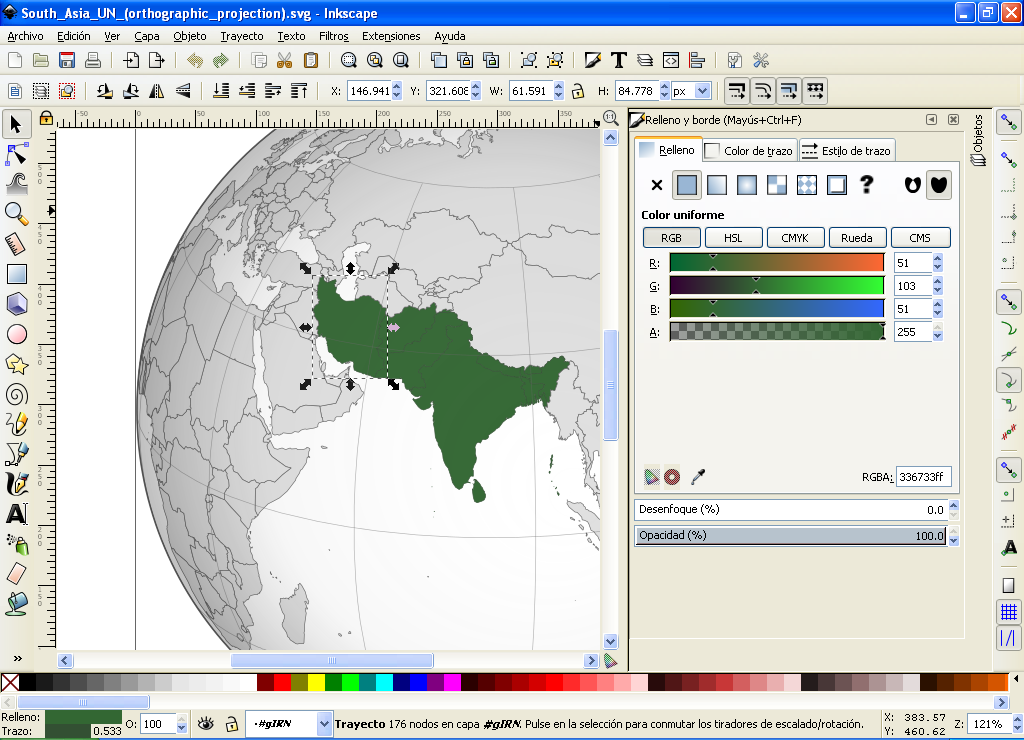
Vector work happens at the node level. The node tool moves nodes and their Bézier handles, aligns and distributes them, and converts text or shapes to editable paths, including turning a stroke into a filled path. Boolean operations (union, difference, intersection, and more) combine paths, and the shape builder lets you merge and subtract regions by clicking them.
Live Path Effects change a path without destroying the original geometry, so you can tune or remove them at any time:
| Shape & edge | Repeat & array | Distort |
|---|---|---|
| Rounded Corners | Tiling / Cloning | Roughen |
| Offset | Rotate Copies | Hatches |
| Simplify | Symmetry | Sketch |
| Knot | Bend | Perspective |
| Power Stroke | Pattern along Path | Envelope Deformation |
Beyond those, Inkscape does path simplification with a variable threshold, dynamic and linked insetting and outsetting, and bitmap tracing in both color and monochrome. Power Stroke is comparable to Illustrator's Width tool, and Tiling/Cloning covers the same ground as its repeaters — useful reference points if you are moving over from a paid editor.
Fill, stroke, text, and export
Color is selected in RGB, HSL, HSV, HSLuv, CMYK, a color wheel, or through a color-managed picker, with more than 20 palettes included and a color-picker tool for sampling anything on the canvas. Gradients can be multi-stop linear or radial, or full mesh gradients; fills include more than 130 patterns, and strokes carry over 30 dash patterns and 30-plus path markers such as editable arrowheads.
Text uses any installed outline font, including right-to-left scripts and variable fonts, with kerning, letter spacing, and line spacing controls. You can flow text on a path, inside a shape, or at a fixed width, and edit SVG fonts directly. On export, Inkscape writes compliant SVG and also PNG, PDF, EPS, PostScript, DXF, OpenDocument Drawing, sk1, and AI, plus command-line conversions for batch work. The built-in XML editor lets you watch and edit the document tree live.
Rendering, filters, and extensions
The canvas renders with full anti-aliasing and alpha transparency for both display and PNG export, and objects redraw completely as you drag them. You can zoom from 1 to 25,600 percent, rotate or mirror the canvas, and switch view modes including outline, outline overlay, X-ray, split mode, greyscale, and a color-managed view. A Filter Gallery ships with more than 250 filters, a filter editor to modify or build your own, and 16 blend modes for letting one object's colors act on another.
The extension system adds import and export formats, modifies selected objects, generates new drawing elements, and talks to devices such as plotters and CNC machines. More than 150 extensions are included, with a built-in store and hundreds of third-party extensions available, all driven by a documented Python API. More than 90 templates cover card and paper sizes, booklets, social media, video, and icon formats, and you can save your own.
A free alternative to Illustrator
Because it is SVG-native and released under the GPL, Inkscape covers most day-to-day illustration, logo, icon, and diagram work that people reach for paid vector tools to do — with no subscription, trial period, or account. Rendering is fully anti-aliased with alpha transparency, and objects redraw as you drag them. The interface is customizable down to icon theme, dark mode, dialog docking, and a hidden-panel "Zen" mode, and the extension system adds import/export formats and new commands through a documented Python API.
Download 1.4.4
Get the current stable build for Windows, macOS, or Linux from the official servers.
Tutorials
Flatten text to paths, join nodes, trace a bitmap, round a single corner.
Is it really free?
How the GPL works and why commercial use of your own artwork costs nothing.
What 1.4.4 changes. Version 1.4.4 is a bugfix release on the 1.4 line: it keeps the same feature set described here and fixes stability and rendering issues rather than adding new tools. If you are on an older 1.x build, it is a safe in-place upgrade. See the install guide for the upgrade steps on each platform.
This is an independent guide, not the Inkscape project. For the full feature list, release notes, and the source code, visit the official site at inkscape.org.
Common questions
Is Inkscape a good alternative to Illustrator?
For most vector work — logos, icons, diagrams, illustration — Inkscape covers the same ground and is free. It reads and writes SVG natively and opens AI and EPS with some conversion.